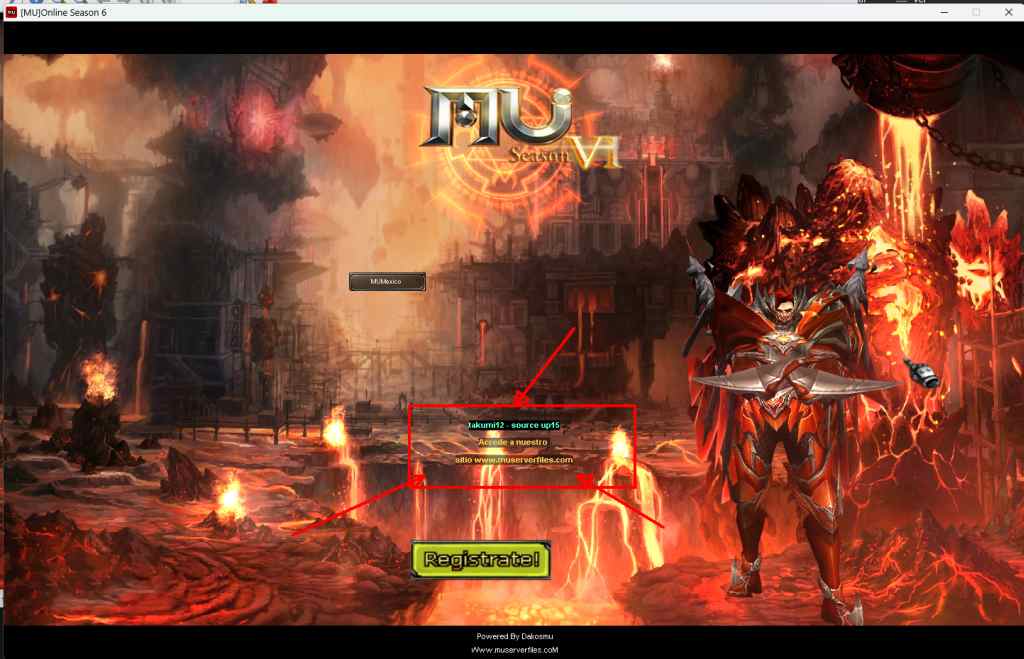
Sistema de Noticias para MuEmu
En este tutorial, aprenderás cómo implementar un sistema de noticias eficiente para tus servidores MuEmu y SSeMu en la versión Season 6. Este sistema te permitirá mantener a tus jugadores informados sobre las últimas novedades, eventos y anuncios importantes dentro del juego. A continuación, te guiaré paso a paso en el proceso de configuración.
Cómo Configurar el Sistema de Noticias
1. Modificaciones en stdafx.h
Primero, abre el archivo stdafx.h y agrega la siguiente línea de código para activar el sistema de noticias:
#define NOTICE_MES 1 // Activar
2. Actualizaciones en Interface.cpp
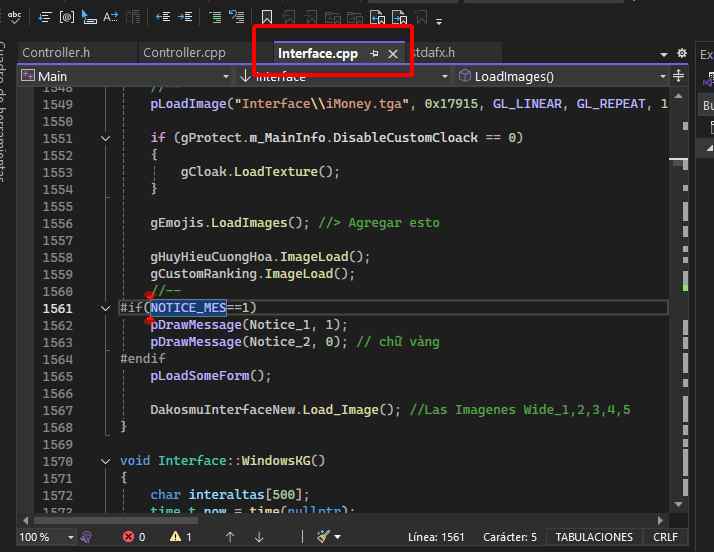
Ahora, dirígete al archivo Interface.cpp. Dentro de la función void Interface::LoadImages(), agrega el siguiente código para mostrar los mensajes de noticias:
 Sistema de Noticias Para MuEmu
#if(NOTICE_MES==1)
    pDrawMessage(Notice_1, 1);
    pDrawMessage(Notice_2, 0); // texto en color dorado
#endif
3. Ajustes en Controller.h
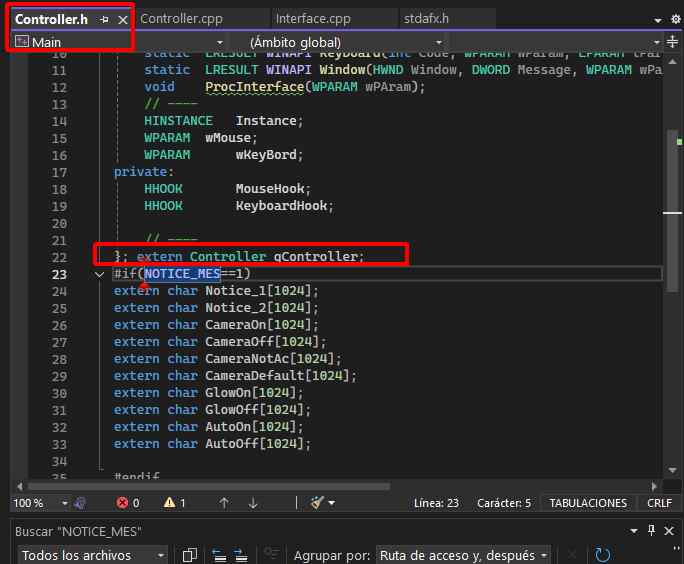
Luego, abre Controller.h y añade el siguiente código justo debajo de extern Controller gController;:
 Sistema de Noticias Para MuEmu
#if(NOTICE_MES==1)
extern char Notice_1[1024];
extern char Notice_2[1024];
extern char CameraOn[1024];
extern char CameraOff[1024];
extern char CameraNotAc[1024];
extern char CameraDefault[1024];
extern char GlowOn[1024];
extern char GlowOff[1024];
extern char AutoOn[1024];
extern char AutoOff[1024];
#endif
4. Modificaciones en Controller.cpp
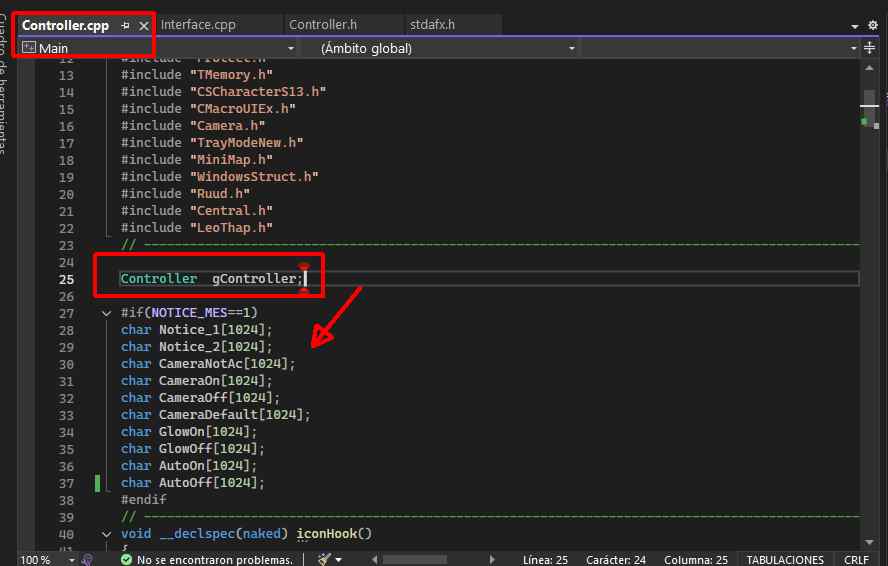
A continuación, abre Controller.cpp y añade el siguiente código debajo de Controller gController;:
 Sistema de Noticias Para MuEmu
#if(NOTICE_MES==1)
char Notice_1[1024];
char Notice_2[1024];
char CameraNotAc[1024];
char CameraOn[1024];
char CameraOff[1024];
char CameraDefault[1024];
char GlowOn[1024];
char GlowOff[1024];
char AutoOn[1024];
char AutoOff[1024];
#endif
5. Carga de Datos en bool Controller::Load()
Finalmente, dentro de la función bool Controller::Load(), agrega el siguiente código para cargar los mensajes de noticias desde el archivo de configuración:
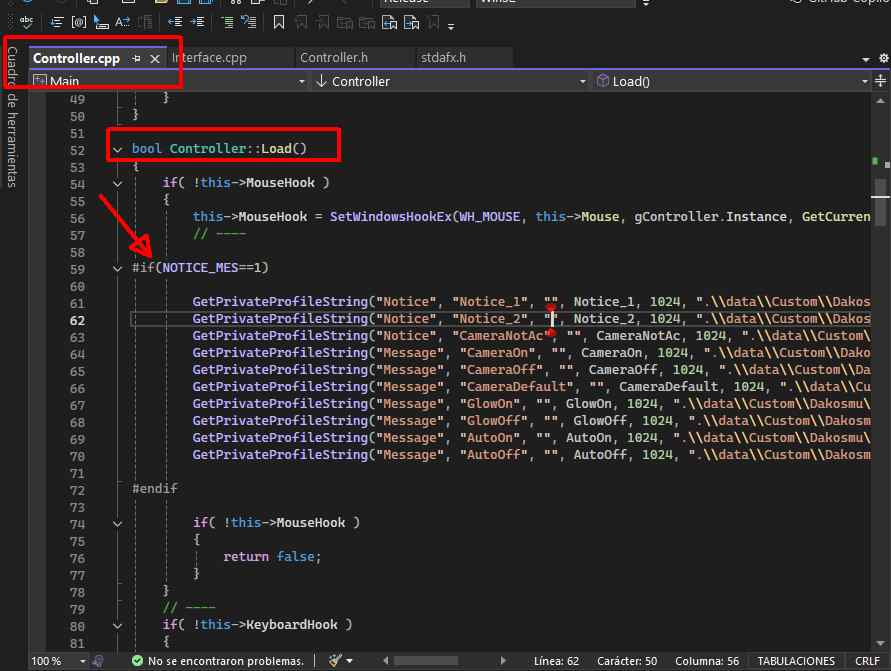 Sistema de Noticias Para MuEmu
#if(NOTICE_MES==1)

        GetPrivateProfileString("Notice", "Notice_1", "", Notice_1, 1024, ".\\data\\Custom\\Dakosmu\\Notice.ini");
        GetPrivateProfileString("Notice", "Notice_2", "", Notice_2, 1024, ".\\data\\Custom\\Dakosmu\\Notice.ini");
        GetPrivateProfileString("Notice", "CameraNotAc", "", CameraNotAc, 1024, ".\\data\\Custom\\Dakosmu\\Notice.ini");
        GetPrivateProfileString("Message", "CameraOn", "", CameraOn, 1024, ".\\data\\Custom\\Dakosmu\\Notice.ini");
        GetPrivateProfileString("Message", "CameraOff", "", CameraOff, 1024, ".\\data\\Custom\\Dakosmu\\Notice.ini");
        GetPrivateProfileString("Message", "CameraDefault", "", CameraDefault, 1024, ".\\data\\Custom\\Dakosmu\\Notice.ini");
        GetPrivateProfileString("Message", "GlowOn", "", GlowOn, 1024, ".\\data\\Custom\\Dakosmu\\Notice.ini");
        GetPrivateProfileString("Message", "GlowOff", "", GlowOff, 1024, ".\\data\\Custom\\Dakosmu\\Notice.ini");
        GetPrivateProfileString("Message", "AutoOn", "", AutoOn, 1024, ".\\data\\Custom\\Dakosmu\\Notice.ini");
        GetPrivateProfileString("Message", "AutoOff", "", AutoOff, 1024, ".\\data\\Custom\\Dakosmu\\Notice.ini");

#endif
6. Configuración del Archivo Notice.ini
Después de realizar las modificaciones anteriores, descarga el archivo Notice.ini y colócalo en la siguiente ruta de tu cliente: «\Data\Custom\Dakosmu». Este archivo es crucial para que el sistema de noticias funcione correctamente.
Descargar el archivo Notice.ini aquí.
Enlaces Internos
- Skin Season 20 Part 2 – 7th Guardian Taurus Pets
- Plugin Sistema de Guías v1.0.0 – Free WebEngine 1.2.0
- Takumi12 S6 Source UP15 Repack for Beginner v0.3.4
- New Damage Numbers Skin Made by TheRoyal
Enlaces Externos
Con estos pasos, habrás configurado exitosamente el sistema de noticias para tus servidores MuEmu y SSeMu. Este sistema no solo mejorará la comunicación con tus jugadores, sino que también enriquecerá su experiencia de juego. ¡No dudes en dejar tus comentarios o consultas si necesitas más ayuda!
![Cómo agregar las armas Blue Eye + Efectos (S15 Parte 1-2) [Tutorial]](https://www.muserverfiles.com/wp-content/uploads/2025/08/Weapons-Blue-EyeEffects.jpg)
![Cómo agregar el pet Ice Dragon S15 [Tutorial]](https://www.muserverfiles.com/wp-content/uploads/2025/08/Como-agregar-el-pet-Ice-Dragon-S15-Tutorial.webp)
![Ghost Horse + Effects Season 14 [Tutorial]](https://www.muserverfiles.com/wp-content/uploads/2025/08/Ghost-Horse-Effects-Season-14-Tutorial.jpg)